Using the default wishlist
Core provides one default customer wishlist. Depending on the shop settings, wishlist access can be available to all visitors or restricted to registered customers. Logged-in customers can reach the wishlist from WooCommerce My Account.
The wishlist view can show selected product details such as price, variation, stock state, date added, and cart or remove actions. The exact columns and actions are controlled by the shop manager.
When sharing is enabled, customers can use the configured channel buttons or a direct public wishlist link. Shop managers should test the shared view while logged out before announcing the feature.
Reports Lite
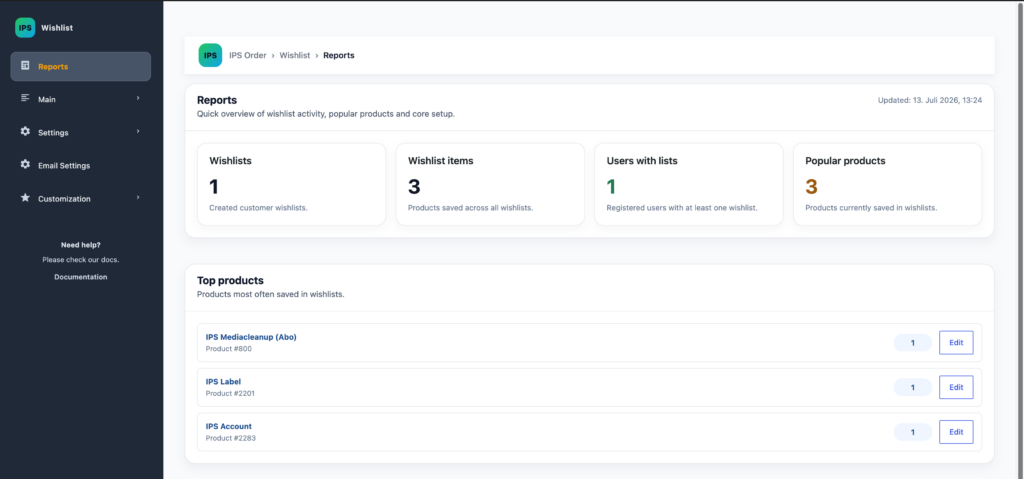
The Core reports screen provides a bounded operational overview rather than a marketing analytics suite. It includes aggregate wishlist metrics, products most often saved, and basic configuration and database health checks.
- Use the overview to confirm that wishlist activity is being recorded.
- Use the top-products list as a quick operational signal.
- Resolve configuration or database warnings before troubleshooting the storefront.
Advanced trends, exports, conversion analysis, segments, and marketing workflows are not documented as available in this Core guide.